
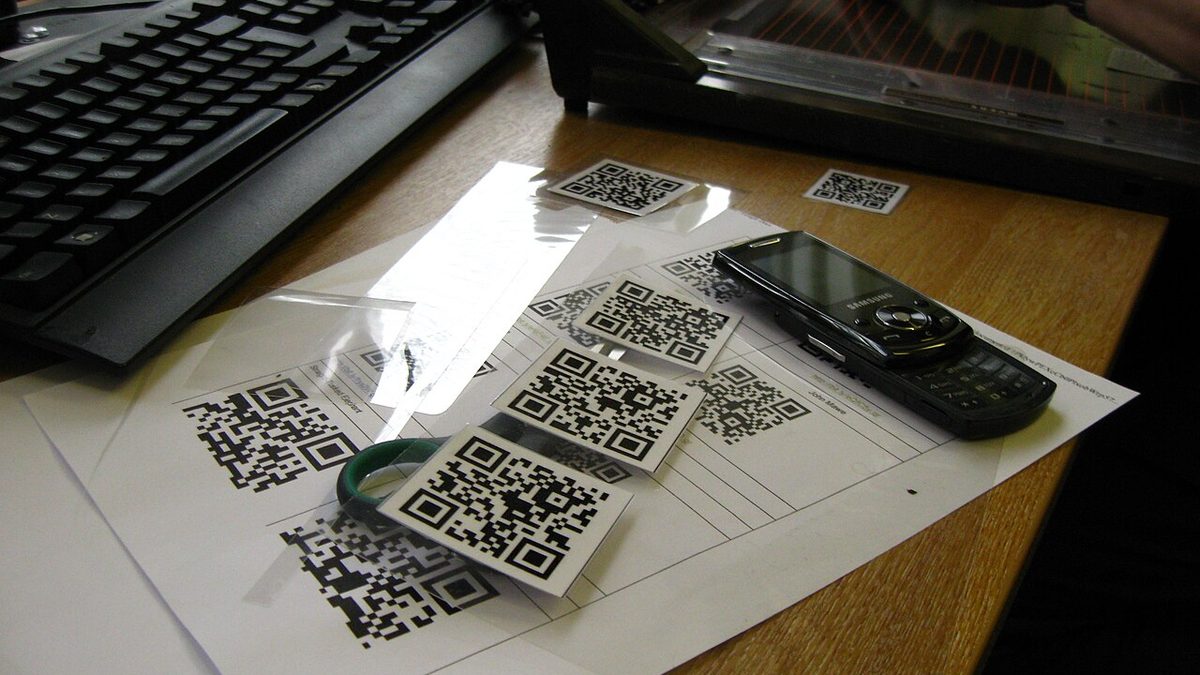
When a technician arrives at a broken machine, the first thing they need is information: when was this machine last serviced? Which oil does it use? Has the same fault happened before? If that information sits in a folder or on a computer in the office, they either walk over to get it or never look. A QR code stuck on the machine shrinks that distance to a three-second scan with the phone camera.
What goes into the QR code?
The QR code should contain not the information itself but the address of that equipment's page. For example:
https://maintenance.examplecompany.com/equipment/KMP-03
This approach has two big advantages:
- When the information changes you do not need to renew the label; the page is updated and the code stays the same.
- Because the address is short, the QR code is small and legible; even a 3×3 cm label scans easily.
The page itself should require a login; you do not want everyone who photographs the label to reach your maintenance history.
What else should be on the label besides the QR code?
| Field | Why |
|---|---|
| Equipment code (in capitals) | So it can be read without a phone and said over the radio |
| Equipment name | A name everyone understands, such as "Screw compressor 3" |
| Short address or company logo | So it is clear who the label belongs to |
| Breakdown reporting number (optional) | So the operator can call directly |
Which screen should open when scanned?
The usefulness of a QR code depends on the screen it opens being designed for the field. A page made for the desktop, with small text and horizontal scrolling, is useless on a phone. A good equipment page should have, from top to bottom:
- Status: Running / broken down / under maintenance; warning of upcoming or overdue maintenance.
- One-tap actions: "Report breakdown", "Complete maintenance", "Enter running hours".
- Recent records: The last 5 breakdowns and maintenance jobs, with dates and who did them.
- Technical information: Oil type, filter codes, belt size, the manual as a PDF.
Label material: the environment decides
Any label survives in the office; in the field most become unreadable within a few months.
| Environment | Suitable label |
|---|---|
| Dry, indoors | Laminated paper or standard vinyl |
| Oily, dusty workshop | Polyester label with a clear protective overlay |
| Outdoors, sun | UV-resistant vinyl or aluminium label |
| High temperature, washdown | Engraved metal plate or ceramic label |
Placement matters too: stick the label where it can be seen from where the operator stands, but away from hot surfaces, rotating parts and covers that are wiped all the time.
Three reasons QR codes won't scan
- No quiet zone: There must be an empty (white) margin at least four modules wide around the QR code. Pushing the code to the edge of the label makes it harder to read.
- Low contrast: A light code on a dark background, or colourful designs, will not scan on some phones. A black code on a white background is safest.
- Glare: Glossy lamination reflects under workshop lights. Choose a matt protective film.
Rolling it out: 50 machines in a day
- Draw up the equipment list and give each machine a unique code.
- Print all the labels in bulk on A4 sheets from the maintenance software.
- As you stick each label on, scan it with a phone and check that the right page opens.
- Give operators a five-minute demonstration: "When something breaks, scan the code, take a photo, send it."
Do not be surprised if the number of breakdown reports rises in the first week. It does not mean breakdowns have increased; it shows that reports that used to be made by phone and lost are now being recorded. A few months later, those records show clearly which machine is really the problem.
Frequently asked questions
Should the QR code hold the information or a link?
A link. When the equipment details change you do not need to reprint the label; the code always points to the same address and the page content is updated.
Is a special app needed to scan the QR code?
No. The camera apps on current Android phones and iPhones read QR codes directly and open the link.
Which label suits oily and dusty areas?
Paper labels soon become unreadable. Laminated polyester, anodised aluminium or laser-marked metal labels withstand oil, chemicals and wear.
Sources
This article is a compilation based on the sources below and personal experience; its assessments are opinions. In practice, the manufacturer's official documentation and applicable regulations take precedence.
- ISO/IEC 18004 — QR Code bar code symbology specification
Comment
No comments yet. Be the first to comment!
Leave a comment